



Selected work · E-commerce storefront

Saleh Elattar Sons Project showcase

A food-and-beverage storefront preview bringing spices, pantry essentials and a broader product range into one catalogue. Categories, bilingual product names, filtering and individual product pages connect browsing with a clear selection step.

salehelattar.com
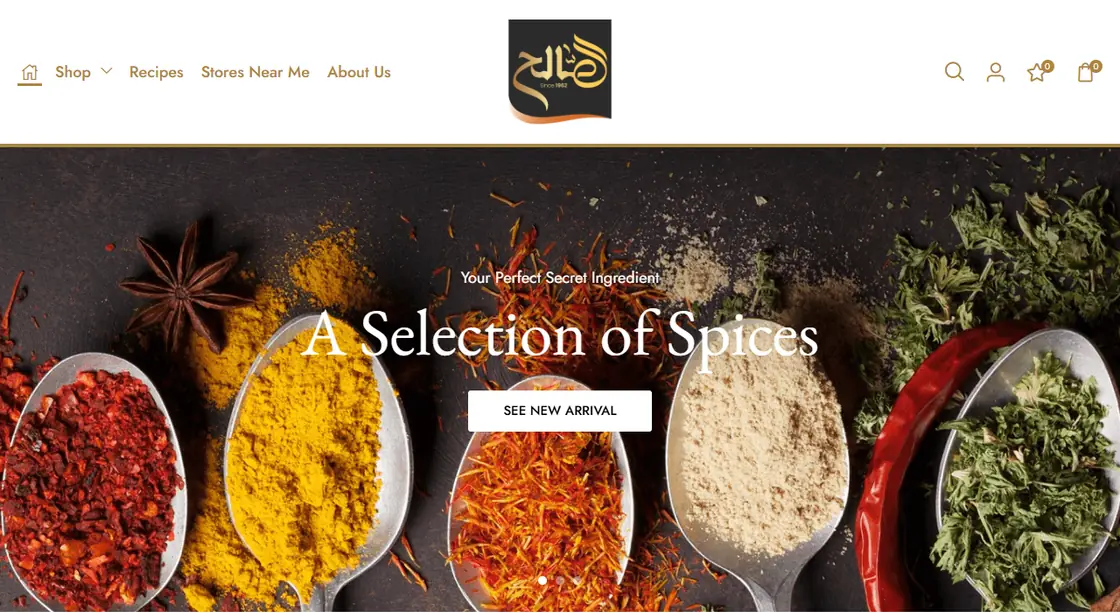
Saleh Elattar Sons storefront header and spice photography
Client
Saleh Elattar Sons
Industry
Food and beverage
Project type
E-commerce storefront
The commerce context

Make a broad catalogue easier to navigate.

Saleh Elattar Sons brings a familiar food-and-beverage range into an online storefront. The catalogue spans spices, herbs and blends alongside coffee, tea, grains, legumes, nuts and pantry essentials. Category navigation gives this variety a clear starting point, while product cards combine photography, names and pack information. A visitor can move from a broad everyday need to a more focused product without having to understand the whole range first.

The shop view adds search, price and stock filters, sorting and display controls around the product grid. Individual pages then give a selected item more context: Arabic and English naming, imagery, a listed price, category links and product identifiers. Quantity and selection controls sit beside the product, with related items available further down the page. Together, these layers connect discovery, comparison and preparation for the next ordering step.

The shopping experience

From a broad range to a considered selection.

Catalogue organisation and product-level detail give each stage of discovery its own place.

Categories that explain the range

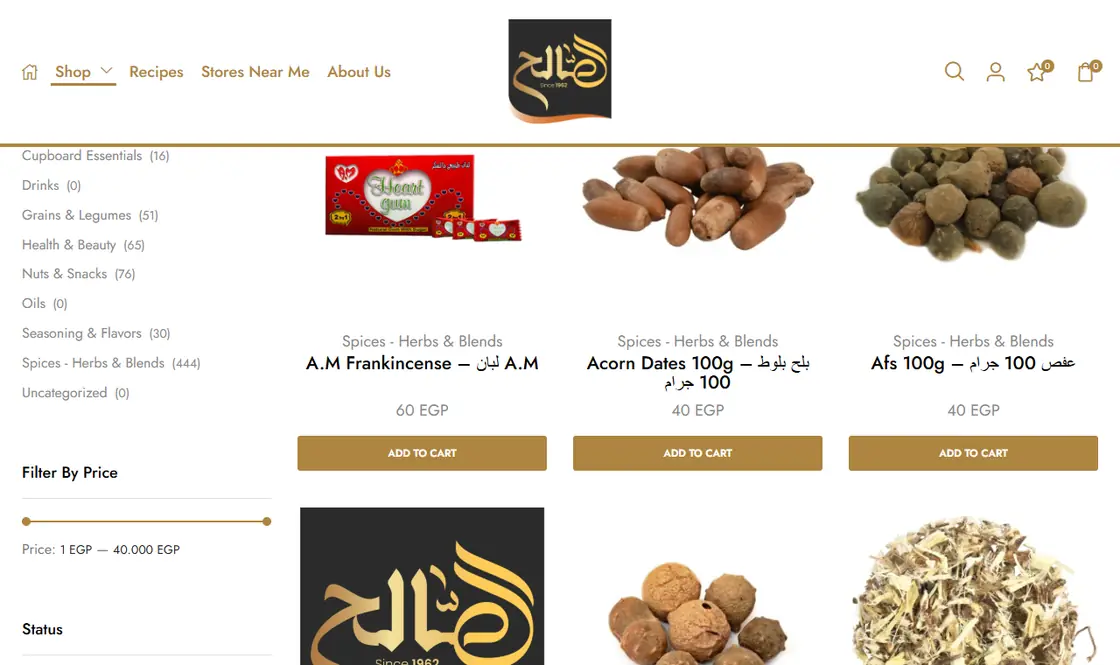
The shop groups the range into recognisable categories, including coffee and tea, grains and legumes, nuts and snacks, and spices and blends. These entry points connect everyday shopping needs with a relevant part of the catalogue.
Search with category context

Product-search controls sit alongside category navigation, giving a shopper another way into the range. The interface includes a category selector so product discovery can begin with a specific name or a broader type of item.

A more focused shop view

The catalogue includes price and stock-status filters, sorting choices and grid/list controls. These visible tools let the product range be approached through different browsing preferences while keeping the product cards central to the page.

Product information in context

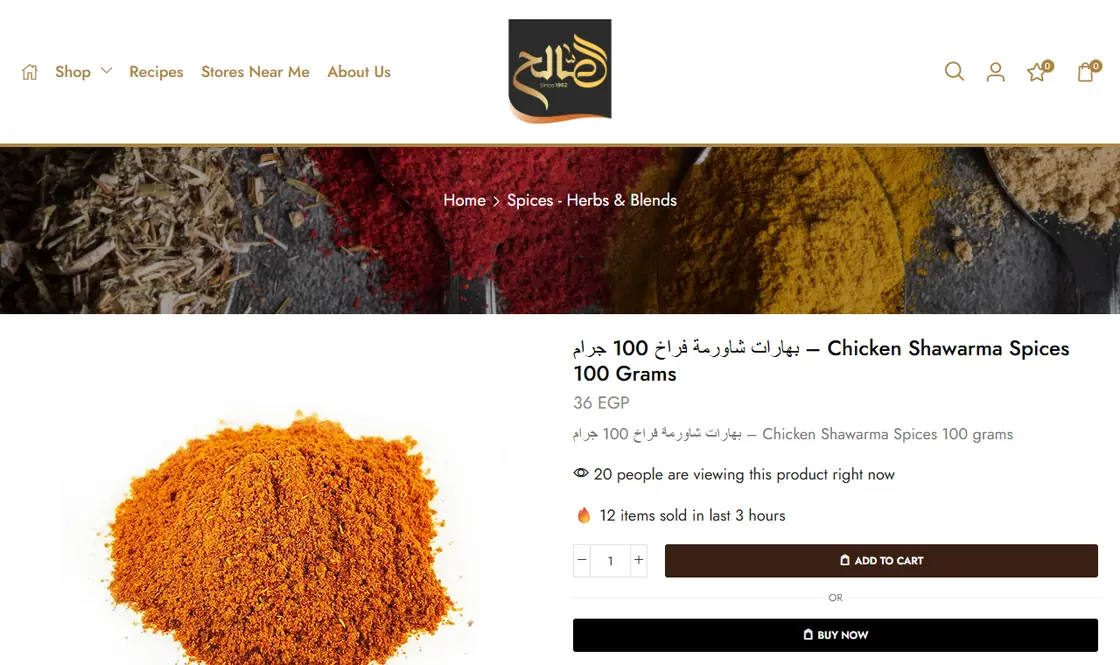
The product page brings imagery together with Arabic and English naming, pack information, a displayed price, product identifiers and category links. Description and additional-information sections provide a consistent place for supporting details beneath the main selection area.

Selection controls beside the item

Quantity, Add to cart and Buy now controls appear next to the selected product, together with wishlist and comparison options. Their placement keeps the item’s details close to the shopper’s next decision within the storefront interface.

Continue through related products

Related-product cards continue the experience beyond the selected item. They show other products with their names, images and category context, giving shoppers a direct route back into the range while retaining the connection to the page they are viewing.

The discovery journey

Browse, narrow down and understand the item.

A connected path from a product category to the information and controls around an individual selection.

  1. 01

    Explore a category

    Start with a relevant catalogue category, or open the shop to browse the broader range. Names and imagery introduce the available product types.

  2. 02

    Focus the range

    Use the visible search, filter, sorting and display controls to approach the catalogue in a way that suits the shopping task.

  3. 03

    Review the product

    Open an item to read its Arabic and English name, review the image and pack information, and explore the supporting product sections.

  4. 04

    Prepare a selection

    Review quantity and selection options beside the item, or continue into related products to compare another part of the range.

A closer look

Inside the experience.

Explore the website’s presentation, content and user-facing details.

Next projectManazil HospitalityProperty discovery and stay inquiriesBack to all work

Let’s keep the conversation going.

Chat could not be opened right now. Send a ticket to keep your question and follow-up together, or contact us directly.

Open a support ticketsupport@yourjarvis.com+20 100 445 22 41