

Start with the stay
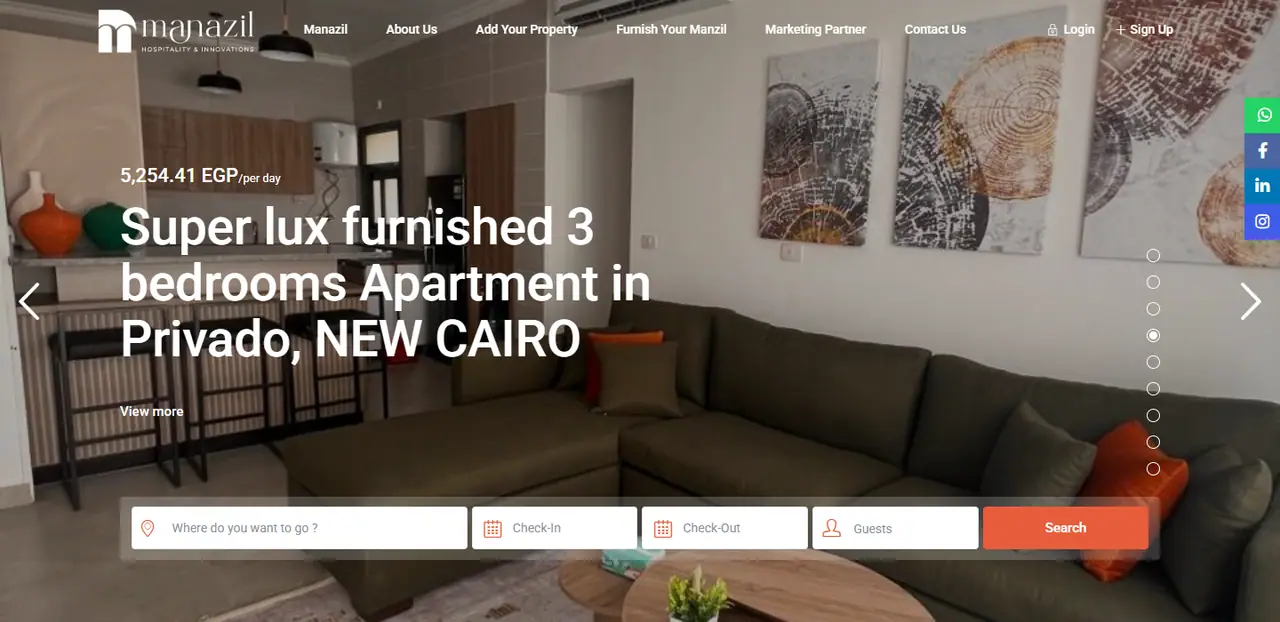
The homepage pairs destination, check-in, check-out and guest controls with property photography. This gives visitors a recognisable starting point for expressing where they want to stay and the broad shape of their visit.
Selected work · Property discovery and stay inquiries
A hospitality website connecting property photography, location-based browsing, detailed home information and availability inquiries. Visitors can explore the setting, compare practical details and move toward a conversation about their stay.

Manazil Hospitality presents serviced apartments and extended-stay accommodation. Its website brings property photography, destinations and listing information into a guest-facing browsing experience. Visitors can start with a location and stay details, explore listed homes and move into an individual property page for a closer look at the accommodation.
The listing pages expose rental and listing types, city and area selections, and sorting controls. Individual pages combine a photo gallery with the home’s type, layout details, address, amenities and house rules. This creates a layered presentation: visual discovery first, followed by the practical information a guest needs to compare a possible stay.
Availability calendars and guest/date inputs sit alongside request and communication controls, connecting the home’s details to a prospective stay. Company information, contact details and an owner-facing Add Your Property route extend the hospitality story beyond the property cards, giving both guests and property owners a relevant place to continue.
Destination search, home photography and practical details come together around the guest’s next question.
The homepage pairs destination, check-in, check-out and guest controls with property photography. This gives visitors a recognisable starting point for expressing where they want to stay and the broad shape of their visit.
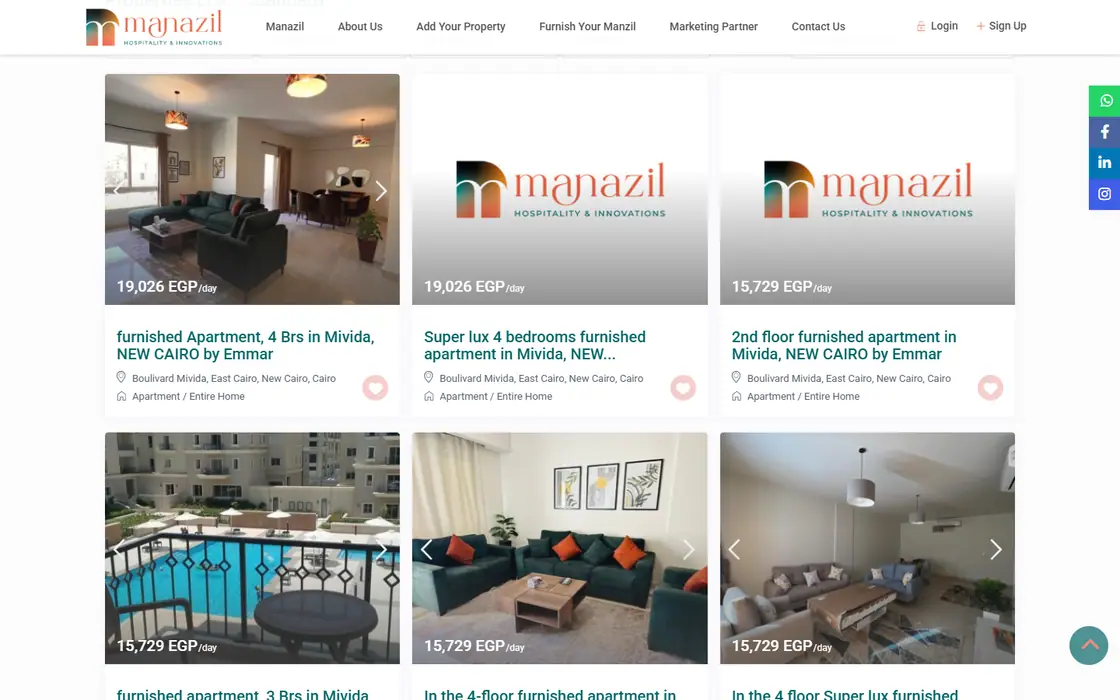
Property-listing views show rental and listing types, city and area selections, and sorting. The cards bring imagery together with a property title, location and home classification, offering several cues for choosing which listing to inspect.
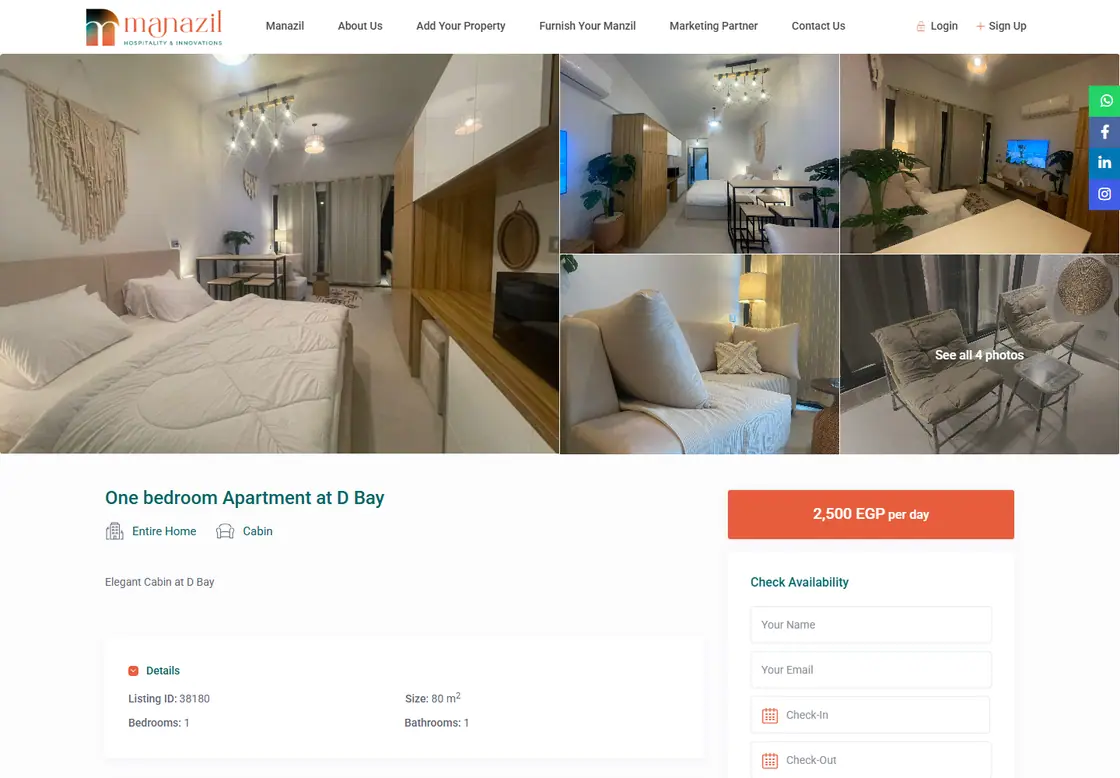
Individual property pages open with a prominent photo gallery and a route to view the available images. The visual presentation shows rooms and interior spaces before the visitor continues into the written description and practical property information.
The property page presents the home classification alongside details such as size, bedroom and bathroom information, bedroom layout and address. These labelled sections help a visitor examine the particular accommodation rather than relying on its headline and photos alone.
Amenities and house-rule sections appear within the property information. They give guests a place to inspect the listed facilities and conditions relevant to the home, keeping those practical considerations alongside the accommodation details they are reviewing.
The property page brings a calendar, date and guest inputs, and availability/contact controls into the next step. These areas keep the prospective stay’s dates and guest context close to the home information as the visitor moves toward an inquiry.
Explore the setting, compare a home and bring the right context to a stay inquiry.
Start from the destination and stay controls or browse a location. The homepage introduces properties through photography and direct links into their pages.
Use the visible location and home-type options to compare listing cards. Review the property title, imagery and location before opening a home in detail.
Look through the gallery, layout information, address, amenities and house rules. These sections bring the accommodation’s visual and practical context together.
Continue to the availability calendar and request/contact controls with the relevant dates and guest context. The next step shown here is a prospective-stay inquiry.
Explore the website’s presentation, content and user-facing details.